See the site on the new server before anyone else does
Enter the domain and the new server’s IP and you get a link that opens your site there, over HTTPS, in any browser and on any device. DNS keeps pointing at the old server until you are ready.
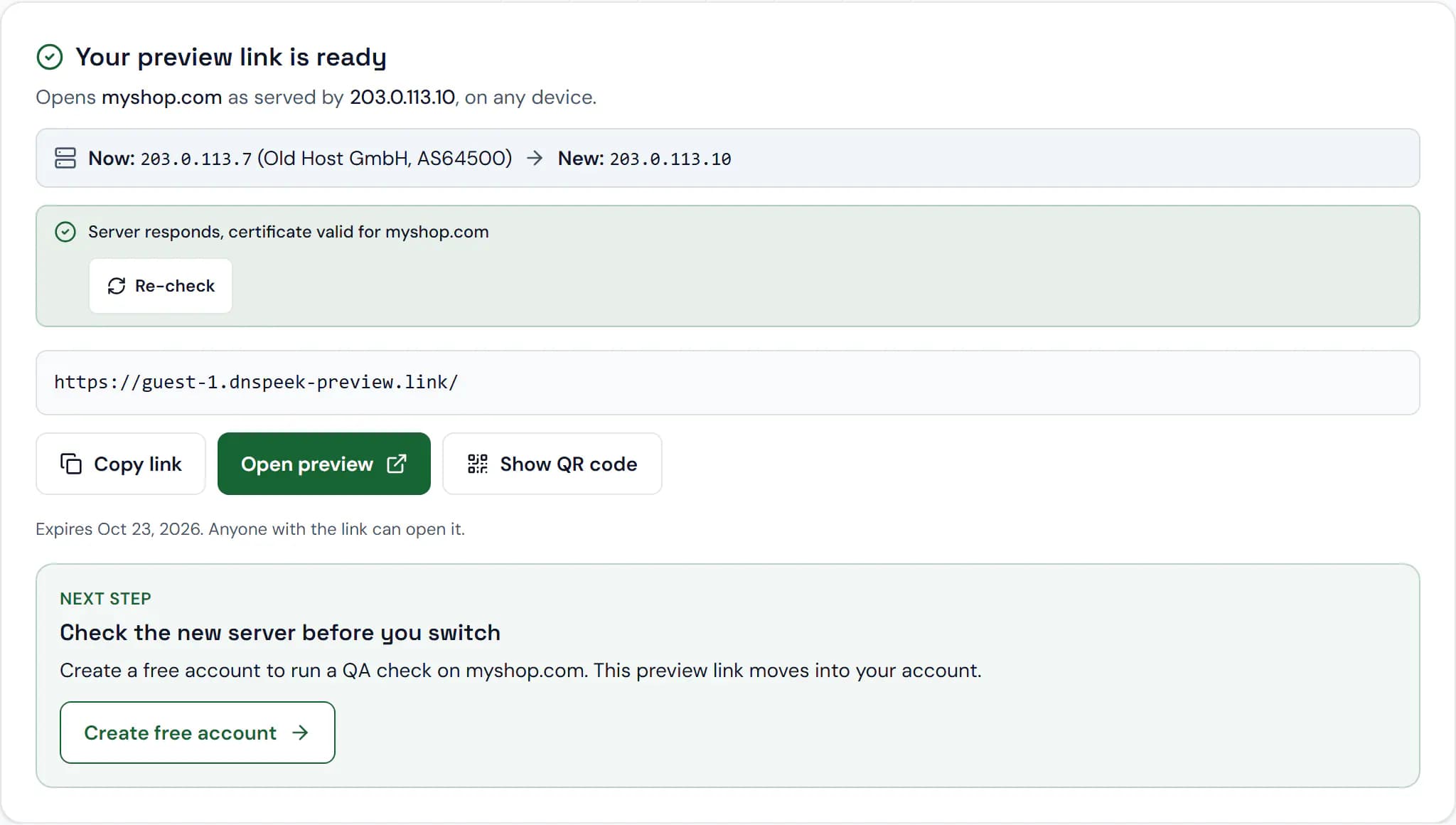
Sample data. Screenshot of the real product.
What you get
No hosts file, no VPN
The link is an ordinary URL. Nothing to edit on your computer, nothing to undo after the move, and it works on phones too.
Click through the real site
Links, redirects and cookies for your domain are rewritten to the preview, so you can browse, submit forms and sign in to the admin panel.
Share it safely
Add a password, set an expiry date or switch a link off at once. Visitors see a short notice that this is a preview, and previews never show up in search.
Works with a server that has no SSL yet
Pick an SSL mode per link, including HTTP only for a server without a certificate: visitors still get HTTPS.
How it works
- 1
Enter the domain and the server IP
On the home page without an account, or with Create Link in the dashboard. Change the ports, alias, password or expiry under Advanced options.
- 2
Open the link
DNSPeek checks the new server right away and shows where the site is hosted now next to where it is going.
- 3
Send it to anyone
Copy the link or scan its QR code on a phone. Save a guest link to a free account to keep it.
Plans
What each plan includes for this feature, from the current plan catalog.
Link lifetime
- Free
- 7 days
- Pro
- Never expire
- Agency
- Never expire
- Provider
- Never expire
Subdomain previews (wildcard links)
- Free
- Not included
- Pro
- Included
- Agency
- Included
- Provider
- Included
Turn off the visitor notice per link
- Free
- Not included
- Pro
- Included
- Agency
- Included
- Provider
- Included
Rows per bulk import
- Free
- Not included
- Pro
- 100
- Agency
- 1,000
- Provider
- 10,000
Questions, answered
Do I need an account?
No. A guest link works straight away and lasts 7 days. Create a free account in the same browser to save it and add a password.
How long does a link last?
Links on the Free plan last 7 days from the last visit, up to 30 days. Paid plans can keep links without an expiry date.
Can search engines find my preview?
No. Every preview response tells search engines not to index or follow it.
What does not work in a preview?
Bot protection on the new server can block the preview, and files on other hostnames load from wherever DNS points today. The limitations page lists every case.
Check the new server before your visitors do
Free, no credit card, and no account needed for your first link.